Webkit Search Input Styling
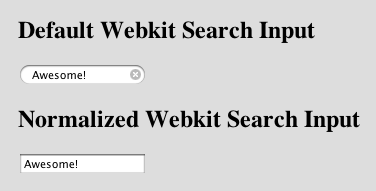
I recently needed to have a search input look the same on Firefox and Chrome. Chrome does some fancy styling when you use a search type input which is great but sometimes you need it to be the same everywhere. I was able to get it to look the same by employing the following styling:
input[type=search] {
    -webkit-appearance:textfield;
    -webkit-box-sizing:content-box;
}

input::-webkit-search-decoration,
input::-webkit-search-cancel-button {
    display: none;
}
If you are using a webkit based browser you can checkout the live demo at -> http://mikegrace.s3.amazonaws.com/geek-blog/webkit-search-input-example.html